ROS2自动驾驶
yolo5自动驾驶
1、重要!更换U盘的操作指引
2、关闭开机自启动大程序
3、Linux基础
4、YoloV5训练集
5、自动驾驶基础调试(代码解析)
6、自动驾驶特调
7、自动驾驶原理
8、PID算法理论
9、阿克曼运动学分析理论
10、建立运动学模型
常用命令
!重要!首次使用
一、原理分析
麦克纳姆轮运动学分析
二、AI大模型
3、AI大模型类型和原理
4、RAG检索增强和模型训练样本
5、具身智能机器人系统架构
6、具身智能玩法核心源码解读
7、配置AI大模型
8、配置API-KEY
三、深度相机
2、颜色标定
10、深度相机的基础使用
11、深度相机伪彩色图像
12、深度相机测距
13、深度相机色块体积测算
14、深度相机颜色跟随
15、深度相机人脸跟随
16、深度相机KCF物体跟随
17、深度相机Mediapipe手势跟随
18、深度相机视觉循迹自动驾驶
19、深度相机边缘检测
四、多模态视觉理解
20、多模态语义理解、指令遵循
21、多模态视觉理解
22、多模态视觉理解+自动追踪
23、多模态视觉理解+视觉跟随
24、多模态视觉理解+视觉巡线
25、多模态视觉理解+深度相机距离问答
26、多模态视觉理解+SLAM导航
27、多模态视觉理解+SLAM导航+视觉巡线
28、意图揣测+多模态视觉理解+SLAM导航+视觉功能
五、雷达
8、雷达基础使用
思岚系列雷达
六、建立地图
9、Gmapping建图
cartographer快速重定位导航
RTAB-Map导航
RTAB-Map建图
slam-toolbox建图
cartographer建图
Navigation2多点导航避障
Navigation2单点导航避障
手机APP建图与导航
七、新机器人自动驾驶与调整
多模态视觉理解+SLAM导航
新机器人自动驾驶
场地摆放及注意事项
启动测试
识别调试
无人驾驶的车道保持
无人驾驶路标检测
无人驾驶红绿灯识别
无人驾驶之定点停车
无人驾驶转向决策
无人驾驶之喇叭鸣笛
无人驾驶减速慢行
无人驾驶限速行驶
无人驾驶自主泊车
无人驾驶综合应用
无人驾驶融合AI大模型应用
八、路网规划
路网规划导航简介
构建位姿地图
路网标注
路网规划结合沙盘地图案例
路径重规划
九、模型训练
1、数据采集
2、数据集标注
3、YOLOv11模型训练
4、模型格式转换
十、YOLOV11开发
多机通讯配置
汝城县职业中等专业学校知识库-信息中心朱老师编辑
-
+
首页
六、建立地图
cartographer建图
cartographer建图
## cartographer建图 ### 1、算法简介 Cartographer是Google开源的一个ROS系统支持的2D和3D SLAM(simultaneous localization and mapping)库。基于图优化(多线程后端优化、cere构建的problem优化)的方法建图算法。可以结合来自多个传感器(比如,LIDAR、IMU 和 摄像头)的数据,同步计算传感器的位置并绘制传感器周围的环境。 cartographer的源码主要包括三个部分:cartographer、cartographer_ros和ceres-solver(后端优化)。 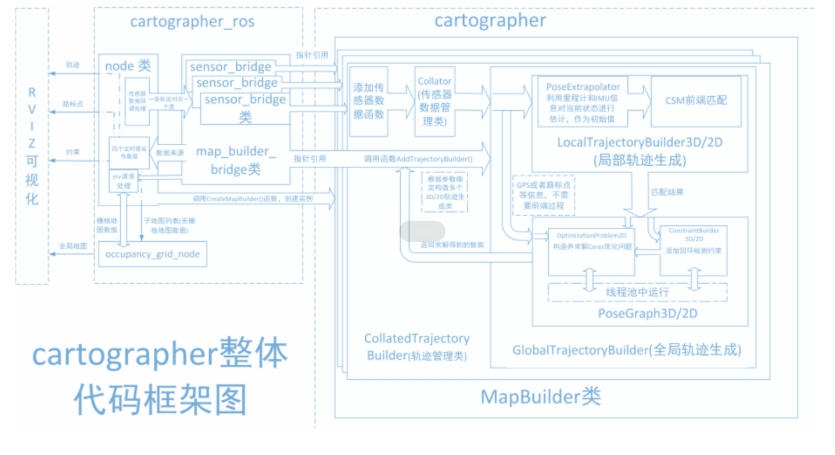 cartographer采用的是主流的SLAM框架,也就是特征提取、闭环检测、后端优化的三段式。由一定数量的LaserScan组成一个submap子图,一系列的submap子图构成了全局地图。用LaserScan构建submap的短时间过程累计误差不大,但是用submap构建全局地图的长时间过程就会存在很大的累计误差,所以需要利用闭环检测来修正这些submap的位置,闭环检测的基本单元是submap,闭环检测采用scan_match策略。cartographer的重点内容就是融合多传感器数据(odometry、IMU、LaserScan等)的submap子图创建以及用于闭环检测的scan_match策略的实现。 cartographer_ros是在ROS下面运行的,可以以ROS消息的方式接受各种传感器数据,在处理过后又以消息的形式publish出去,便于调试和可视化。 ### 2、程序功能说明 运行程序后,rviz中会显示建图的界面,用键盘或者手柄去控制小车运动,直到建完图。然后运行保存地图的指令保存地图。**(对于阿克曼车型小车如果要建图效果好的话转弯的时候尽量加一些停止动作,不要直接转一个大弯)** ### 3、使用前配置 我们的车型有深度相机和激光雷达,但由于无法自动识别产品,所以需要手动设置机器类型和雷达型号。 ``` root@ubuntu:/# cd root@ubuntu:~# vim .bashrc ``` 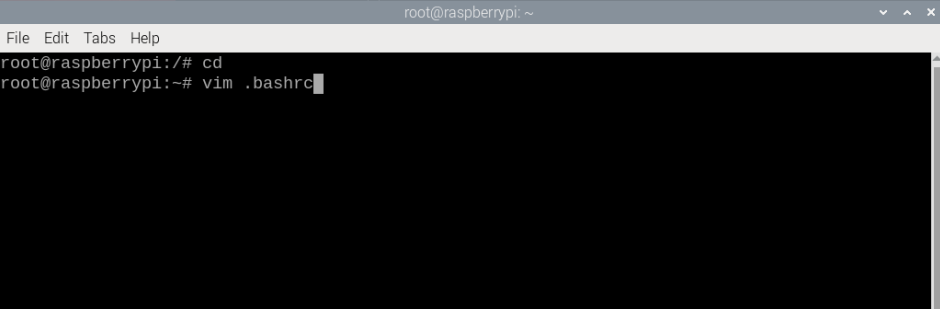 找到这个位置,键盘按一下i按键,修改成对应的相机和雷达型号,这里默认是tmini、nuwa。 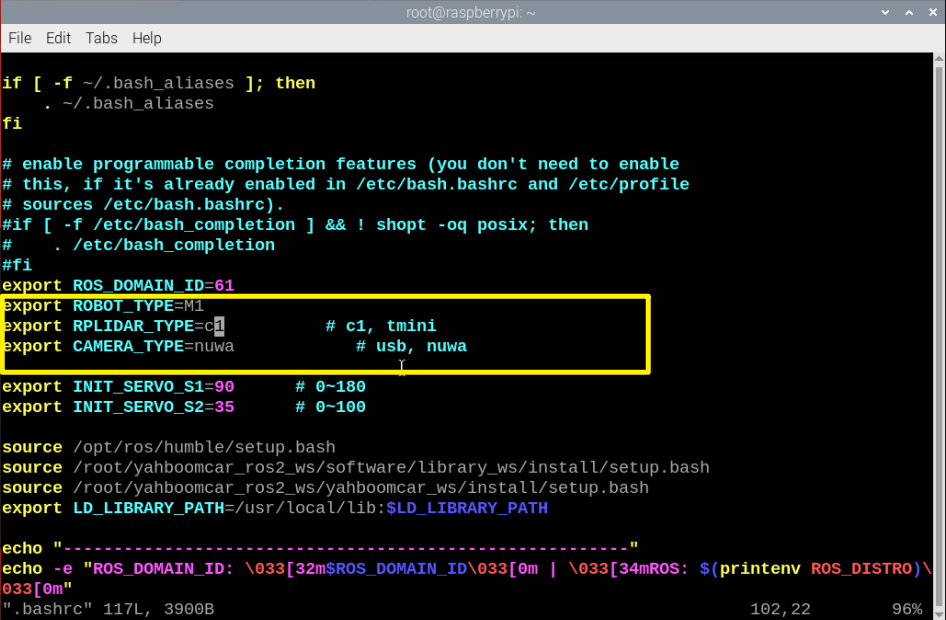 修改完成后,保存退出vim,然后执行: ``` ~# source .bashrc ``` 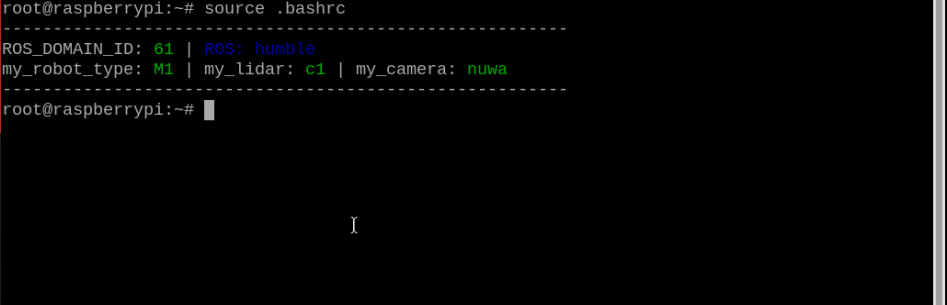 ### 4、程序启动 #### 4.1、启动命令 启动建图 ``` ros2 launch yahboomcar_nav map_gmapping_launch.py ``` 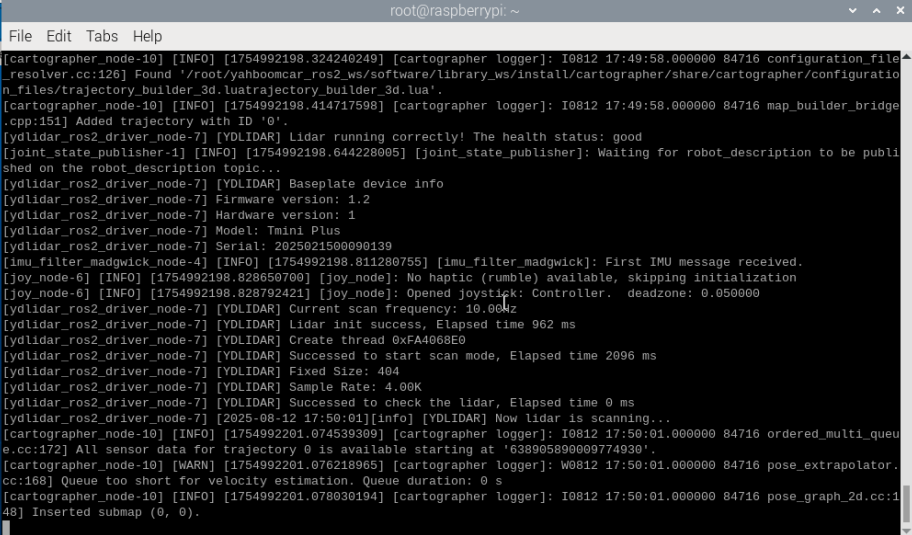 输入指令启动rviz可视化建图 ``` ros2 launch yahboomcar_nav display_map_launch.py ``` 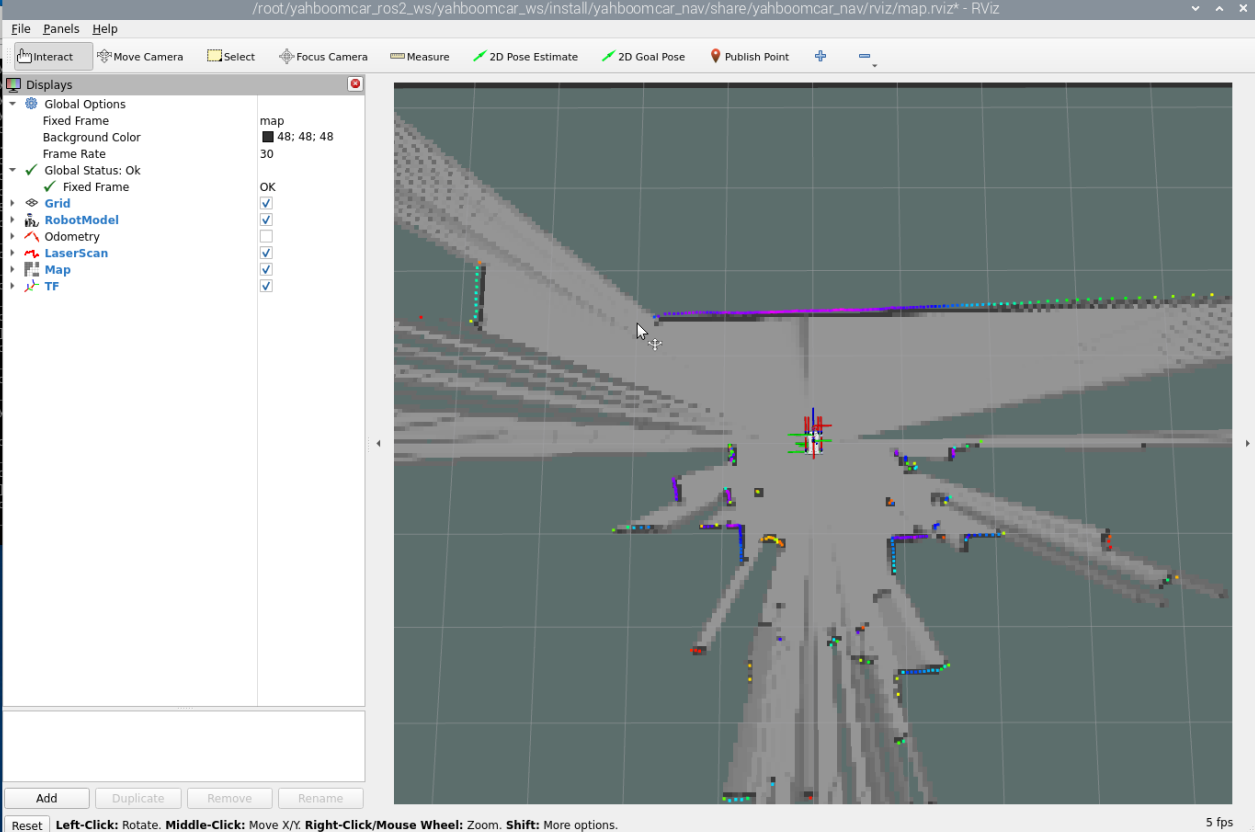 程序默认已经开启手柄控制功能,如果用手柄现在能直接连接接收器进行控制,如果要使用键盘进行控制,终端输入 ``` #键盘 ros2 run yahboomcar_ctrl yahboom_keyboard ``` 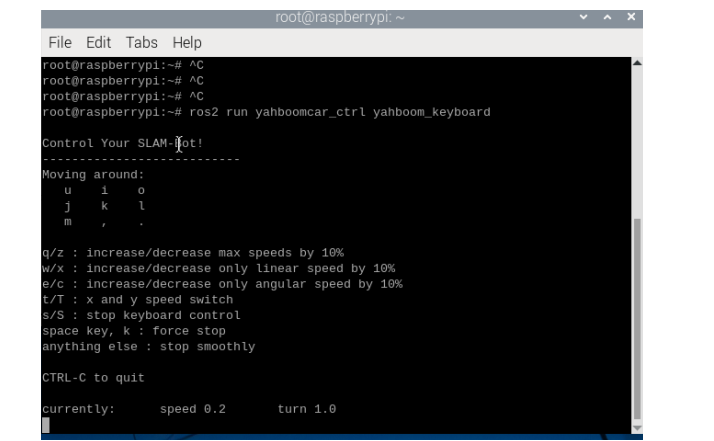 后控制小车,缓慢的走完需要建图的区域 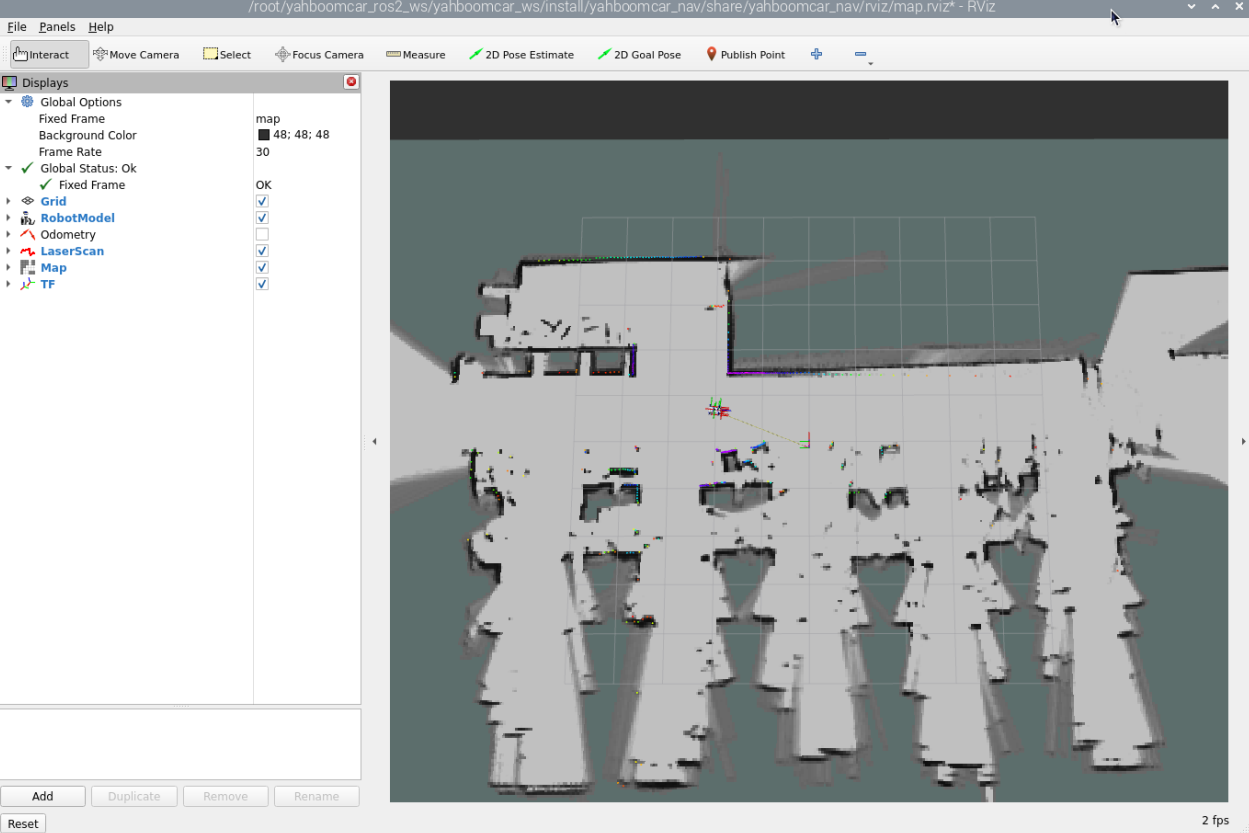 建图完毕后,输入以下指令保存地图,终端输入 ``` ros2 launch yahboomcar_nav save_map_launch.py map_name:=/home/jetson/yahboomcar_ros2_ws/yahboomcar_ws/src/yahboomcar_nav/maps/yahboomcar map_type:=gridmap ``` 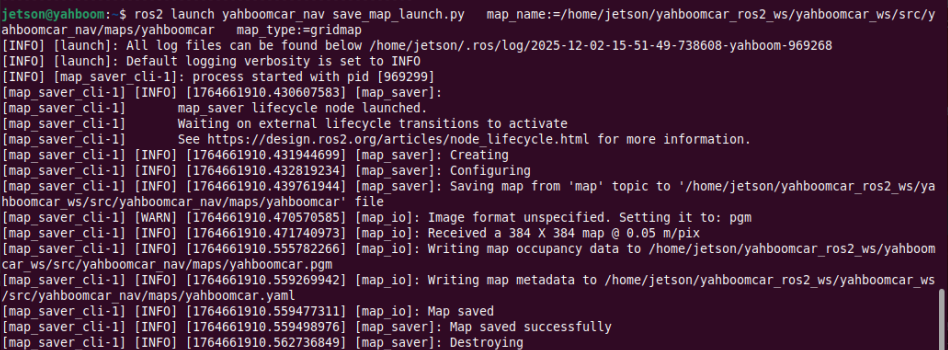 会保存一个命名为yahboomcar的地图,这个地图保存在 ~/yahboomcar_ros2_ws/yahboomcar_ws/src/yahboomcar_nav/maps/yahboomcar.yaml 会有两个文件生成,一个是yahboomcar.pgm,地图如下,我们的主板可以直接双击查看地图 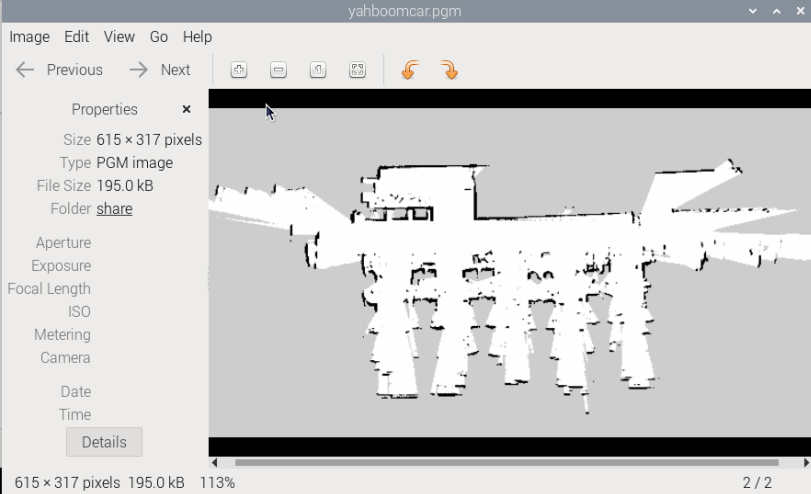 yahboomcar.yaml,看下yaml的内容 ``` image: yahboomcar.pgm mode: trinary resolution: 0.05 origin: [-9.02, -15.5, 0] negate: 0 occupied_thresh: 0.65 free_thresh: 0.25 ``` * image:表示地图的图片,也就是yahboomcar.pgm * mode:该属性可以是trinary、scale或者raw之一,取决于所选择的mode,trinary模式是默认模式 * resolution:地图的分辨率, 米/像素 * origin:地图左下角的 2D 位姿(x,y,yaw), 这里的yaw是逆时针方向旋转的(yaw=0 表示没有旋转)。目前系统中的很多部分会忽略yaw值。 * negate:是否颠倒 白/黑 、自由/占用 的意义(阈值的解释不受影响) * occupied_thresh:占用概率大于这个阈值的的像素,会被认为是完全占用。 * free_thresh:占用概率小于这个阈值的的像素,会被认为是完全自由。 #### 4.2、 保存快速重定位地图 然后输入下面命令,停止建图 ``` ros2 service call /finish_trajectory cartographer_ros_msgs/srv/FinishTrajectory "{trajectory_id: 0}" ``` 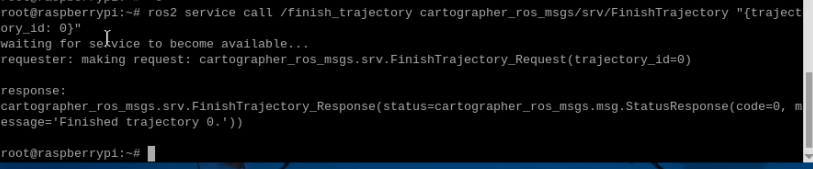 然后再输入下面的命令,保存pbstream文件 ``` ros2 service call /write_state cartographer_ros_msgs/srv/WriteState "{filename: '/home/jetson/yahboomcar_ros2_ws/yahboomcar_ws/src/yahboomcar_nav/maps/yahboomcar.pbstream'}" ``` 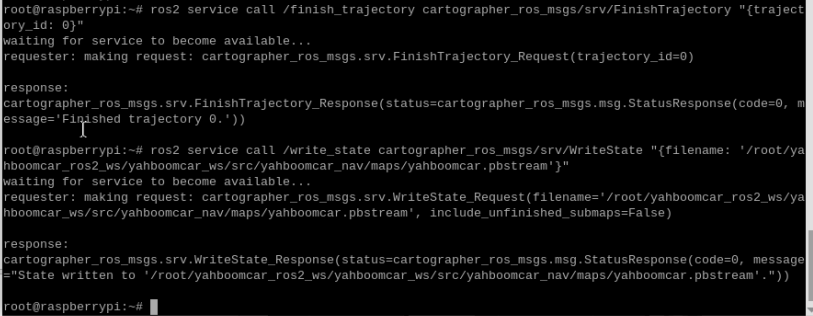 其中filename这个参数的路径为地图的pbstream文件保存的路径。最后输入下面的命令,将pbstream文件转换为pgm文件。 ``` ros2 run cartographer_ros cartographer_pbstream_to_ros_map -map_filestem=/home/jetson/yahboomcar_ros2_ws/yahboomcar_ws/src/yahboomcar_nav/maps/yahboomcar -pbstream_filename=/home/jetson/yahboomcar_ros2_ws/yahboomcar_ws/src/yahboomcar_nav/maps/yahboomcar.pbstream -resolution=0.05 ```  ### 5、查看节点通讯图 终端输入 ``` ros2 run rqt_graph rqt_graph ``` 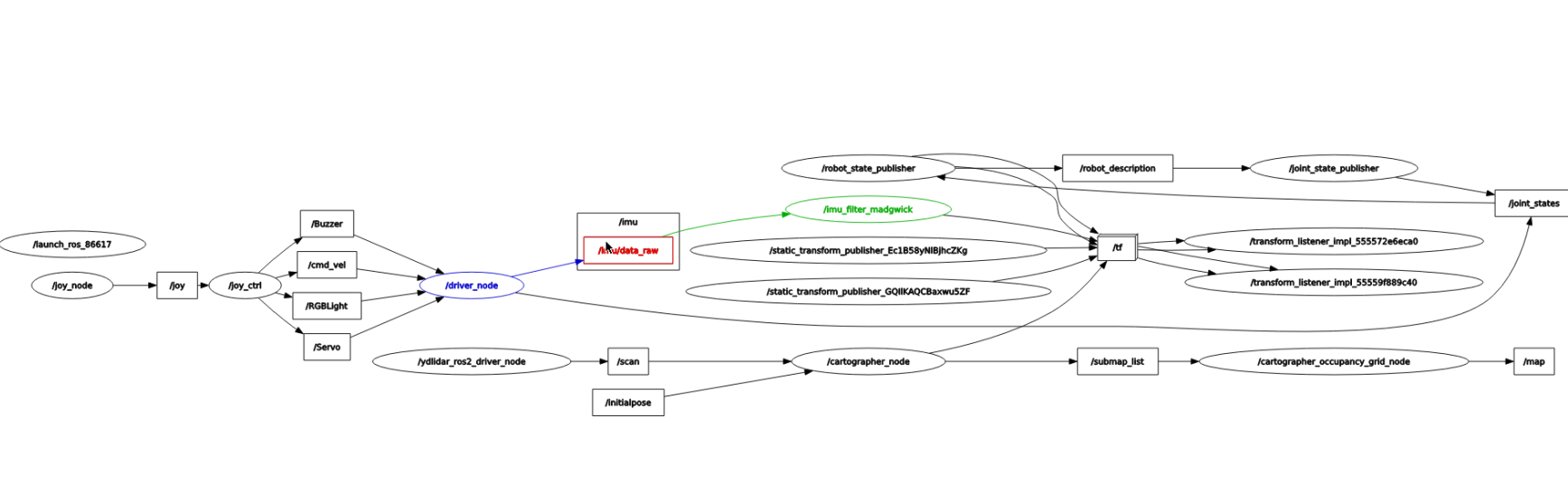 如果一开始没有显示,选择【Nodes/Topics(all)】,然后点击左上角的刷新按钮。 ### 6、查看TF树 终端输入 ``` ros2 run rqt_tf_tree rqt_tf_tree ``` 程序运行完之后,会出现一个tf转换界面 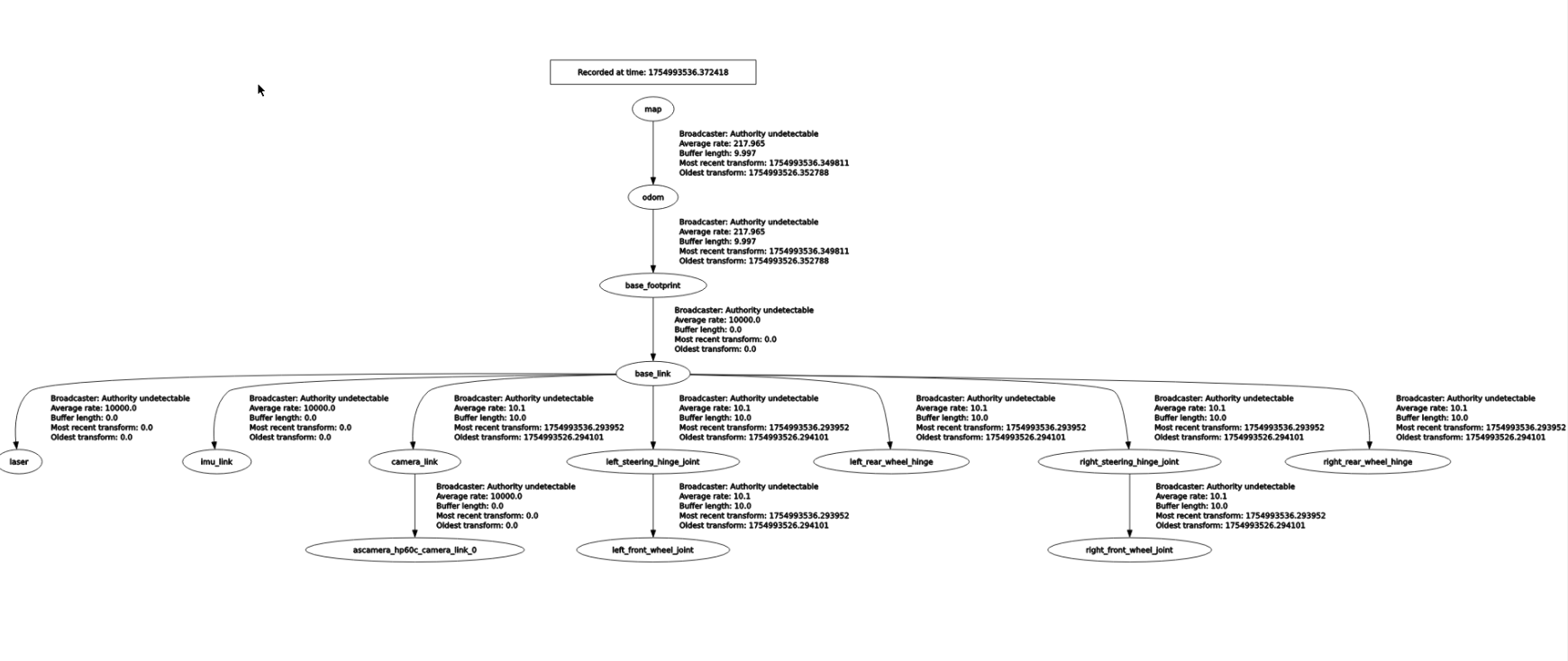 ### 7、代码解析 这里只说明建图的map_cartographer_launch.py,这个文件路径是 `~/yahboomcar_ros2_ws/yahboomcar_ws/src/yahboomcar_nav/launch/map_cartographer_launch.py` map_cartographer_launch.py ``` import os from ament_index_python.packages import get_package_share_directory from launch import LaunchDescription from launch.actions import IncludeLaunchDescription from launch.launch_description_sources import PythonLaunchDescriptionSource def generate_launch_description(): package_launch_path =os.path.join(get_package_share_directory('yahboomcar_nav'), 'launch') laser_bringup_launch = IncludeLaunchDescription(PythonLaunchDescriptionSource( [package_launch_path,'/laser_bringup_no_odom_launch.py']) ) cartographer_launch = IncludeLaunchDescription(PythonLaunchDescriptionSource( [package_launch_path, '/cartographer_launch.py']) ) return LaunchDescription([laser_bringup_launch, cartographer_launch]) ``` 这里运行了一个launch文件-cartographer_launch,该文件位于 ` ~/yahboomcar_ros2_ws/yahboomcar_ws/src/yahboomcar_nav/launch/cartographer_launch.py ``` import os from ament_index_python.packages import get_package_share_directory from launch import LaunchDescription from launch.actions import DeclareLaunchArgument from launch_ros.actions import Node from launch.substitutions import LaunchConfiguration from launch.actions import IncludeLaunchDescription from launch.launch_description_sources import PythonLaunchDescriptionSource from launch.substitutions import ThisLaunchFileDir def generate_launch_description(): use_sim_time = LaunchConfiguration('use_sim_time', default='false') package_path = get_package_share_directory('yahboomcar_nav') configuration_directory = LaunchConfiguration('configuration_directory', default=os.path.join( package_path, 'params')) configuration_basename = LaunchConfiguration('configuration_basename', default='lds_2d.lua') resolution = LaunchConfiguration('resolution', default='0.05') publish_period_sec = LaunchConfiguration( 'publish_period_sec', default='1.0') return LaunchDescription([ DeclareLaunchArgument( 'configuration_directory', default_value=configuration_directory, description='Full path to config file to load'), DeclareLaunchArgument( 'configuration_basename', default_value=configuration_basename, description='Name of lua file for cartographer'), DeclareLaunchArgument( 'use_sim_time', default_value='false', description='Use simulation (Gazebo) clock if true'), Node( package='cartographer_ros', executable='cartographer_node', name='cartographer_node', output='screen', parameters=[{'use_sim_time': use_sim_time}], arguments=['-configuration_directory', configuration_directory, '-configuration_basename', configuration_basename]), DeclareLaunchArgument( 'resolution', default_value=resolution, description='Resolution of a grid cell in the published occupancy grid'), DeclareLaunchArgument( 'publish_period_sec', default_value=publish_period_sec, description='OccupancyGrid publishing period'), IncludeLaunchDescription( PythonLaunchDescriptionSource( [ThisLaunchFileDir(), '/occupancy_grid_launch.py']), launch_arguments={'use_sim_time': use_sim_time, 'resolution': resolution, 'publish_period_sec': publish_period_sec}.items(), ), ]) ``` 这里主要是运行了cartographer_node建图节点以及occupancy_grid_launch.py,另外加载了参数配置文件,该参数文件位于 `~/yahboomcar_ros2_ws/yahboomcar_ws/src/yahboomcar_nav/params/lds_2d.lua` ``` include "map_builder.lua" include "trajectory_builder.lua" options = { map_builder = MAP_BUILDER, trajectory_builder = TRAJECTORY_BUILDER, map_frame = "map", tracking_frame = "base_footprint", published_frame = "base_footprint", odom_frame = "odom", provide_odom_frame = true, publish_frame_projected_to_2d = false, use_odometry = false, use_nav_sat = false, use_landmarks = false, num_laser_scans = 1, num_multi_echo_laser_scans = 0, num_subdivisions_per_laser_scan = 1, num_point_clouds = 0, lookup_transform_timeout_sec = 0.2, submap_publish_period_sec = 0.3, pose_publish_period_sec = 5e-3, trajectory_publish_period_sec = 30e-3, rangefinder_sampling_ratio = 1., odometry_sampling_ratio = 1., fixed_frame_pose_sampling_ratio = 1., imu_sampling_ratio = 1., landmarks_sampling_ratio = 1., } MAP_BUILDER.use_trajectory_builder_2d = true TRAJECTORY_BUILDER_2D.min_range = 0.1 TRAJECTORY_BUILDER_2D.max_range = 10.0 TRAJECTORY_BUILDER_2D.missing_data_ray_length = 0.5 TRAJECTORY_BUILDER_2D.use_imu_data = false TRAJECTORY_BUILDER_2D.use_online_correlative_scan_matching = true TRAJECTORY_BUILDER_2D.motion_filter.max_angle_radians = math.rad(0.1) POSE_GRAPH.constraint_builder.min_score = 0.7 POSE_GRAPH.constraint_builder.global_localization_min_score = 0.7 --POSE_GRAPH.optimize_every_n_nodes = 30 return options ```
admin
2025年12月4日 19:21
38
转发
收藏文档
上一篇
下一篇
手机扫码
复制链接
手机扫一扫转发分享
复制链接
Markdown文件
Word文件
PDF文档
PDF文档(打印)
分享
链接
类型
密码
更新密码
有效期
AI